Locations
Add the physical venues and digital meeting spaces associated with your production. Each location can include a description, map, or image so your team knows exactly where to go and how to get there.
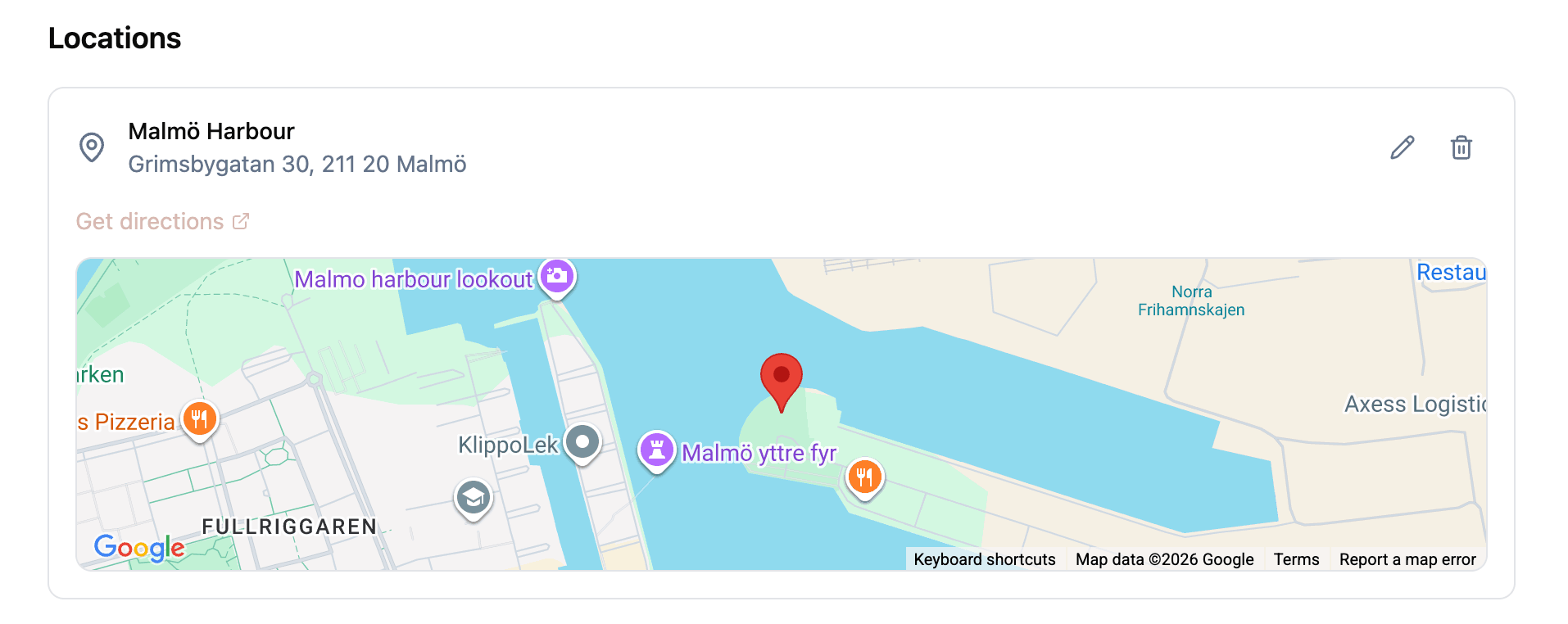
Location types
There are two types of locations:
- Physical: a venue, building, or outdoor space. Include the address in the details field. Physical locations can display a map or image.
- Digital: a virtual meeting link or online space. Include the URL in the details field. Digital locations appear as clickable links.
Visual options
Each location can optionally include a visual:
- Map: provide latitude and longitude coordinates, and a Google Maps view renders with a marker at the location. A “Get Directions” link opens the location in Google Maps for navigation.
- Image: upload or link to a photo of the venue. The image displays as a background on the location card.
Locations without a visual display as a simple card with the name, type, and details.

Managing locations
Locations are part of the project details page. You can add, edit, and delete locations at any time. Each location is independent, so you can mix physical and digital locations in the same project.
The edit dialog lets you switch between location types and visual options without recreating the location.
Related features