June 8, 2026
How to Manage a Production Crew for Live Events
From staffing and scheduling to day-of communication, learn how experienced production managers coordinate crews of all sizes for live events.
By John Barker

It’s 6:30am, load-in day. Fourteen people are about to arrive at a venue they’ve never seen, for a client they’ve never met, to build a show in eight hours. The only thing standing between a smooth setup and total chaos is how well you’ve coordinated this crew.
Crew management isn’t just about filling positions — it’s about making sure every person shows up prepared, knows their responsibilities, and can communicate effectively when things go sideways. Here’s how experienced production managers make it work.
Defining crew roles
Before you can manage a crew, you need to know what roles you’re filling. Here are the common positions in live event production:
Production Manager — Oversees the entire production. Manages timeline, budget, vendors, and crew. The single point of accountability.
Stage Manager — Runs the show on the day. Calls cues, manages talent, coordinates transitions. The “voice in everyone’s ear” during the live event.
Technical Director (TD) — Responsible for all technical elements: audio, lighting, video, staging. Makes technical decisions and troubleshoots issues.
Audio Engineer — Designs and operates the sound system. Handles microphones, monitors, mixing.
Lighting Designer/Operator — Designs the lighting plot and operates during the show.
Video Engineer — Handles cameras, screens, projection, live switching, and streaming.
Runners — General support. Equipment moves, errands, talent liaison, catering coordination.
Staffing based on event complexity
Not every event needs every role. A simple corporate presentation might need:
- 1 Production Manager
- 1 AV Tech (handles sound, lights, and video)
- 1 Runner
A large conference with multiple stages might need:
- 1 Production Manager
- 1 Stage Manager per stage
- 2-3 Audio engineers
- 2 Lighting operators
- 3-4 Video/camera operators
- 1 Show caller
- 4-6 Runners
Scale based on complexity, not just audience size. A 100-person event with 15 speakers and live streaming is more crew-intensive than a 500-person event with one keynote.
Scheduling your crew
Call times by department
Not everyone needs to arrive at the same time. Stagger call times based on what each department needs to accomplish:
- Rigging/staging: First in (often 6am for a daytime event)
- Audio/lighting: After staging is set (typically 1-2 hours after riggers)
- Video: Once audio and lighting are roughed in
- Show caller/stage manager: For sound check and rehearsal
- Runners: Before crew meals need to be coordinated
Respect working hours
A 14-hour crew day is not sustainable for multi-day events. Plan realistic hours with proper breaks. Tired crews make mistakes, and in live production, mistakes can be dangerous (heavy equipment, electrical systems, elevated work).
Build crew meal breaks into the production schedule — not as an afterthought, but as a real time block that the rest of the schedule works around.

Day-of communication
Pre-show briefing
Start every production day with a 10-minute all-hands briefing:
- Today’s schedule overview
- Any changes from yesterday
- Safety reminders
- Questions
Communication channels
For larger crews, establish clear channels:
- Radio/walkie: Production, audio, lighting, video, and stage management on their own channels with a shared “all call” channel
- Group chat: For non-urgent updates and coordination
- Shared schedule: A real-time schedule that everyone can access from their phone
Tools like ProductionPlanner.io give every crew member access to the live schedule, team contacts, and linked resources from their device — no printing, no outdated PDFs.
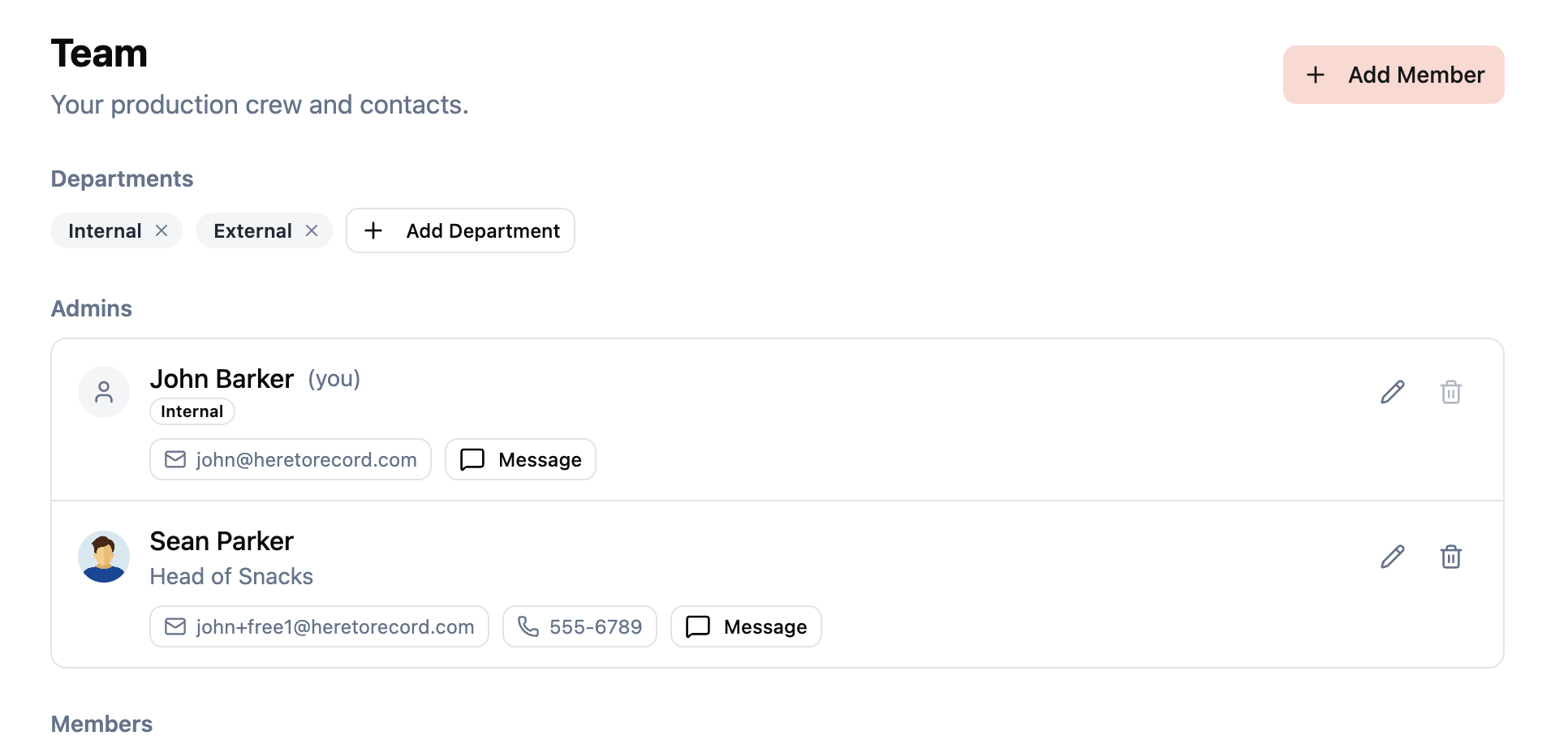 Figure: A shared team view keeps crew roles, contacts, and assignments visible to everyone on the production.
Escalation path
Make it clear who makes decisions and who to escalate to:
- Technical issues → Technical Director
- Schedule changes → Production Manager
- Talent/client issues → Production Manager
- Safety concerns → Anyone can call a stop
Managing freelance crews
Most live event crews are freelance. This means:
- Confirm availability early — Good freelancers book up. Lock in your key people as soon as dates are confirmed.
- Send clear briefs — Don’t assume they know your event. Send venue details, schedule, dress code, and expectations in advance.
- Pay on time — Freelancers remember who pays quickly and who doesn’t. It affects who’s available for your next gig.
- Build relationships — A crew you’ve worked with before requires less onboarding and fewer explanations. Invest in long-term relationships with your best people.
Wrapping up
Crew management is ultimately about clarity: clear roles, clear schedules, clear communication, and clear expectations. When everyone knows what they’re doing, when, and why, the production day runs itself. Invest time in planning and communication before the day, and you’ll spend less time firefighting during it.
Stay in the loop
Get product updates when new features ship. No spam, unsubscribe anytime.