Documentation
ProductionPlanner.io is a project management tool built for production teams. It brings scheduling, resource management, budgets, team coordination, and communication into a single workspace so your team can focus on the work instead of chasing information across tools.
This documentation covers every feature in the application. Each page explains what the feature does, how it works, and how it fits into your production workflow.
Video overview
Project
These features live inside each project and help you plan, coordinate, and deliver your production.
Project Management
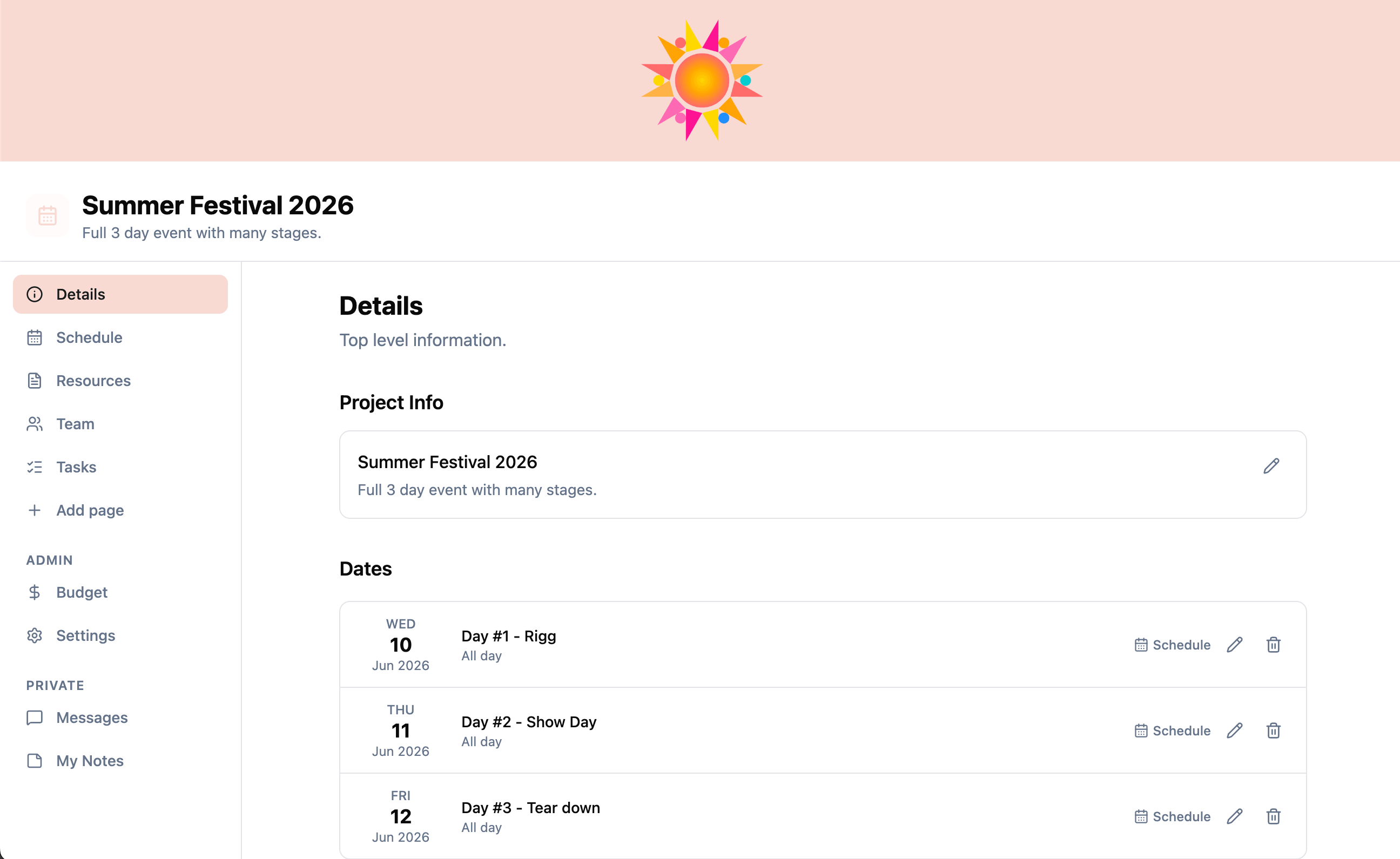
Create and organize productions with custom themes, branding, timezone support, and multi-date scheduling.
Project Templates
Convert any project into a reusable template and create new projects from it. Schedule, budget, tasks, team structure, resources, and pages are all copied; pick a new start date and all dates shift to match.
Production Schedule
Build day-by-day schedules with timed items, breakout sessions, and linked resources. Duplicate a whole day's items onto another day, import items from CSV, and export the full schedule as PDF or CSV.
Team & Permissions
Invite team members, assign departments, and control access with read or write permissions per member.
Resources & Files
Upload files, add links, and organize everything into folders. Request specific files from team members with shareable upload links. Each resource keeps a version history -- swap in a new file or URL while preserving access to every previous version.
Messaging
Direct messages and group conversations with resource attachments and read tracking.
Tasks & Checklists
Create task lists with subtasks, assign who can complete them, and track progress across the team.
Budget Tracking
Track estimated vs actual costs across categories like venue, catering, equipment, talent, and more. Import budget items from CSV with column mapping and a preview step.
Locations
Add physical or digital locations with descriptions, maps, and images.
Call Sheets
Send a daily call sheet to your team for any project date. Combines the day's schedule, locations, and team roster with a configurable crew call time and a notes field, and can optionally include the project task list (all tasks or only the uncompleted ones) plus selected resources (PDFs and images appended as extra pages). Delivered as a branded email with a printable PDF attachment.
Custom Pages
Embed external content, YouTube videos, project resources, or shared rich-text note pages directly inside your project sidebar.
Personal Notes
Private per-user notes visible only to the author.
Activity Log
See a full timeline of every change made to your project, including who did what and when.
Guest Links
Share read-only access to specific parts of your project with anyone, no account required.
Account Settings
Per-user preferences including time format (12-hour or 24-hour), first day of the week, and workspace language, saved to your account and synced across devices.
Multi-Language Support
Project workspace available in English, Swedish, German, French, and Portuguese. Each user picks their preferred language in account settings; the call-sheet PDF is generated in the sender's language with localized dates.
Plans & Billing
Free and Team plans, with Team available as a yearly subscription or a one-time 30-day pass. The paid plan lifts limits on members, active projects, and file upload size, and unlocks custom branding, call sheets, guest links, budget tracking, and custom pages. Upgrade, downgrade, and manage payment from the organization's billing page.
Organization
These features operate at the organization level, across all your projects and team members.
Organizations
Group projects and team members under organizations with invite-based membership.
Email Notifications
Transactional emails for project invitations, organization invites, and file requests via Postmark.
API & Integrations
Connect ProductionPlanner.io to your other tools. Generate org-scoped API keys for programmatic access via the public REST API.
External Projects
Access projects you have been invited to outside of your own organizations.
Getting started
To start using ProductionPlanner.io, create an account and set up your first organization. From there you can create projects, invite your team, and begin building your production workspace.
- Create an organization to group your team and projects together.
- Create a project with your production name, dates, and timezone.
- Invite team members and assign them to departments with the appropriate permission level.
- Build your schedule, upload resources, set up tasks, and configure your budget.
Each feature is independent. You can use just the schedule and team management, or use every feature together. ProductionPlanner.io adapts to how your team works.