July 20, 2026
Event Production Checklist: From Concept to Wrap
A comprehensive checklist covering every phase of event production — pre-production, setup, show day, and post-event. Never miss a critical step.
By John Barker
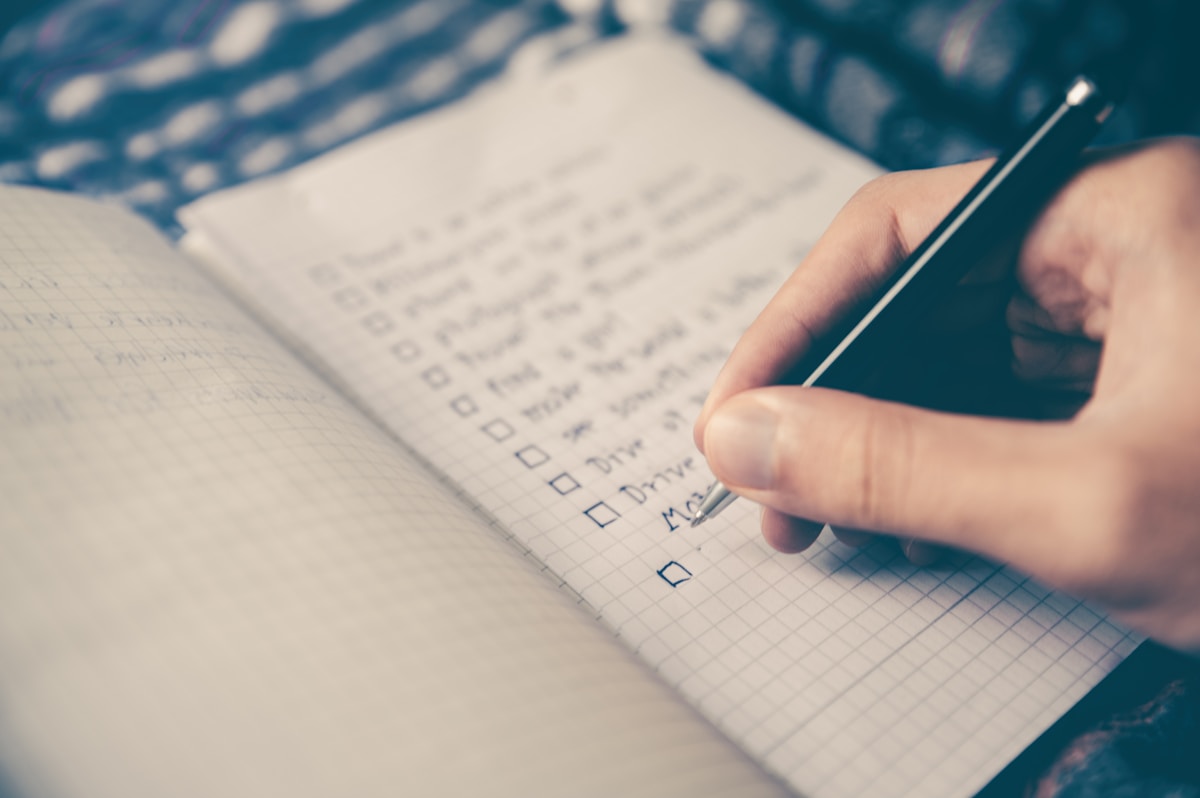
Checklists save productions. Not because producers forget things — but because complex events have hundreds of moving pieces, and the human brain can only hold so many at once. A checklist externalizes that complexity so you can focus on decisions rather than remembering details.
This checklist covers the full lifecycle of an event production. Copy it, adapt it to your event, and check things off as you go.
Pre-production checklist
Planning and scope
- Event goals and success metrics defined
- Target audience and attendance confirmed
- Format decided (in-person / virtual / hybrid)
- Budget approved by stakeholders
- Production timeline established
- Key team members identified and briefed
Venue
- Venue shortlisted and site visits completed
- Venue contract signed
- Load-in/load-out access confirmed
- Power capacity verified (amps, distribution, locations)
- Rigging points mapped (if needed)
- Noise restrictions and curfews noted
- Parking and transportation planned
- Venue contact and after-hours access confirmed
Technical
- AV requirements documented (sound, lighting, video)
- Stage design and floor plan finalized
- Equipment list approved
- Internet requirements specified (dedicated line for streaming?)
- Technical rider sent to venue
- Rigging plan approved by venue/structural engineer
Vendors
- All vendors booked and contracts signed
- Vendor briefs sent with event details and requirements
- Load-in times assigned and communicated
- Final confirmations received (1 week before event)
Crew
- All crew positions filled
- Crew briefings sent (schedule, venue, contacts)
- Travel and accommodation booked (if applicable)
- Crew meals planned and ordered
- Working hours and break times scheduled
Talent/Speakers
- All speakers/performers confirmed
- Technical riders fulfilled
- Presentation files collected
- Rehearsal times scheduled
- Travel and accommodation arranged
Documents
- Production schedule complete
- Run of show distributed to team
- Call sheets prepared for each day
- Contact sheet with all crew, vendors, and venue contacts
- Floor plan/site plan finalized
- Risk assessment completed
- Emergency procedures documented
Setup / Load-in checklist
- Load-in access confirmed (dock, elevator, ramp)
- Equipment delivered and inventory checked
- Staging built and secured
- Audio system installed and line-checked
- Lighting rig flown and focused
- Video/screens installed and signal tested
- Internet connection tested (speed test, backup verified)
- Streaming setup tested end-to-end
- Comms system tested (radios, IFB)
- Signage and branding installed
- Furniture and decor placed
- Catering area set up
- Green room / backstage prepared
- Front of house (registration, merch) ready
- Safety equipment in place (fire extinguishers, first aid)
- Emergency exits clear and marked

Show day checklist
Morning
- Crew briefing conducted
- Schedule changes communicated
- All departments report “ready”
- Sound check complete
- Lighting check complete
- Video/streaming check complete
- Speaker rehearsal conducted
- Cue sheet finalized
- Comms check — all channels working
Doors open
- Front of house staffed
- Security in position
- Registration/check-in functioning
- Live stream started (if applicable)
- Recording started
- House music playing
During show
- Show caller executing cue sheet
- Production manager monitoring schedule
- Runner handling ad-hoc requests
- Stream health monitored (if applicable)
- Social media / content capture happening
- Meal breaks happening as scheduled
Post-show
- Recording stopped and files secured
- Stream ended properly
- Audience cleared safely
- Equipment powered down in correct order
- Strike schedule initiated
Post-event checklist
Immediate (same day/next day)
- Venue walk-through with venue manager
- All equipment returned or collected by vendors
- Venue returned to original condition
- Key assets secured (recordings, hard drives, photos)
- Any damage noted and documented
Within one week
- Production debrief conducted with key team
- Feedback collected (what worked, what didn’t)
- All final invoices collected
- Budget reconciliation completed
- Vendor performance noted for future reference
Within two weeks
- All invoices paid
- Final report delivered to stakeholders
- Thank-you communications sent to crew and vendors
- Production documents archived
- Lessons learned documented
Making this checklist work for you
This checklist is a starting point. Every production is different — a simple corporate presentation won’t need half of these items, while a large festival will need category-specific sub-checklists for each department.
The value is in adapting it to your specific needs and using it consistently. Over time, your checklist becomes a living document that incorporates lessons from every production.
Tools like ProductionPlanner.io include a built-in task system where you can create checklists, assign items to team members, and track completion across the entire team — turning a static checklist into a collaborative workflow.
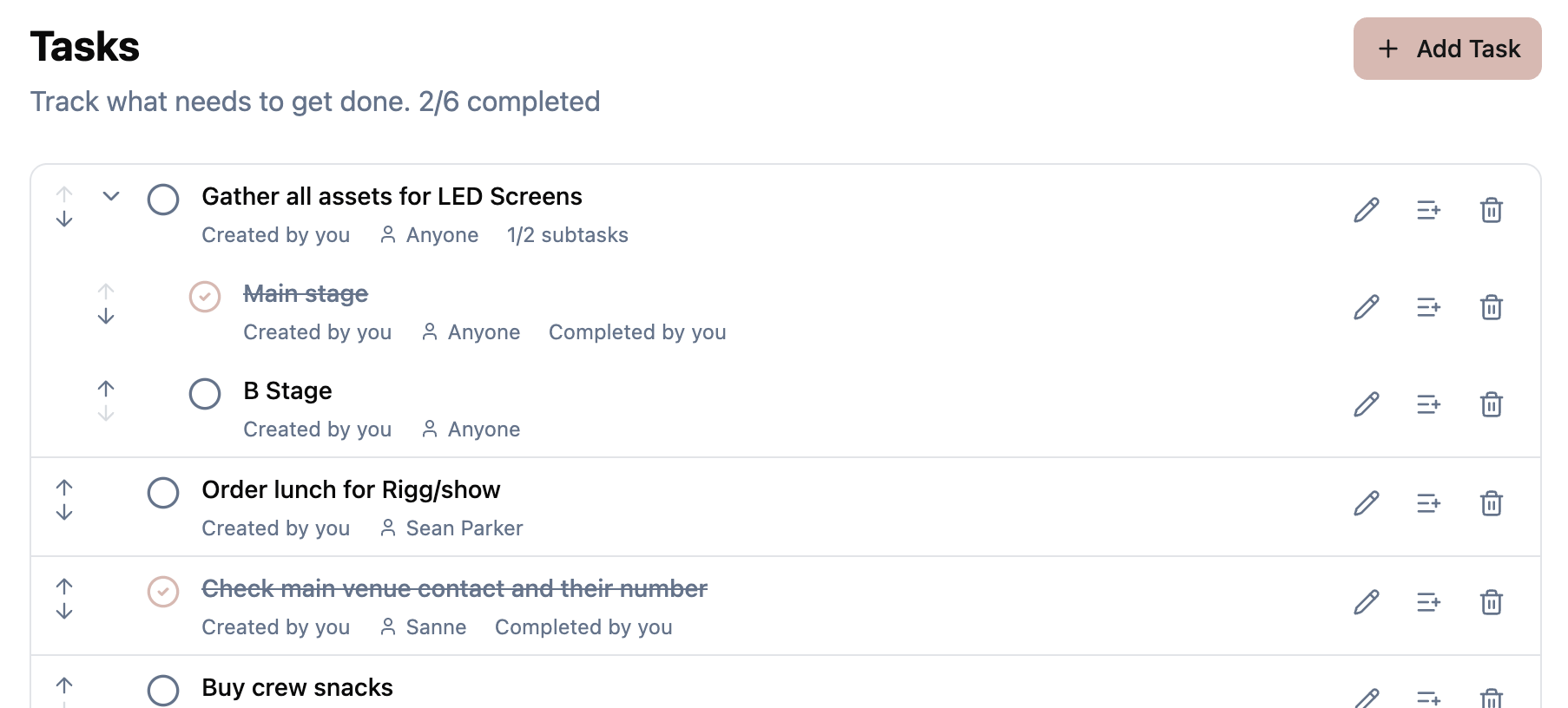 Figure: Turning a static checklist into shared, assignable tasks the whole team can tick off.
Wrapping up
A checklist isn’t a sign of inexperience — it’s a sign of professionalism. Pilots use them, surgeons use them, and the best production managers use them. The cost of a missed item is always higher than the time spent checking a box.
Stay in the loop
Get product updates when new features ship. No spam, unsubscribe anytime.