April 12, 2026
What's New in v1.1: Guest Links, Schedule Improvements, and More
Share your project with anyone using guest links, collapse the sidebar for more space, and enjoy smarter time display across the schedule.
By John Barker
Version 1.1 brings a handful of features and improvements that make it easier to share your project with external collaborators and work with schedules across timezones.
Guest links
The biggest addition in this release is guest links. You can now share read-only access to specific parts of your project with clients, vendors, or anyone else who needs visibility without a full account.
From the new Guests page in the Admin section, create a link and choose exactly which pages the recipient can see. They open the link in their browser and get a clean, read-only view of the project. No signup required.
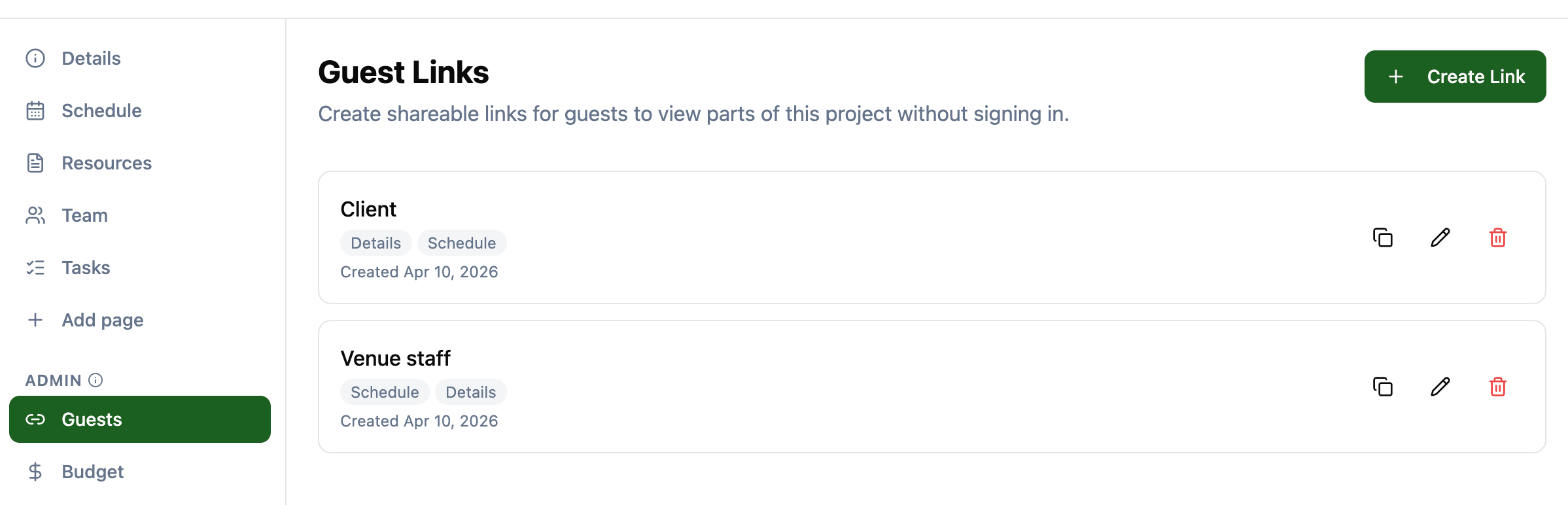
This is useful for sharing a schedule with a venue, sending resource files to a client for review, or letting a stakeholder check on task progress without giving them edit access.
Collapsible sidebar
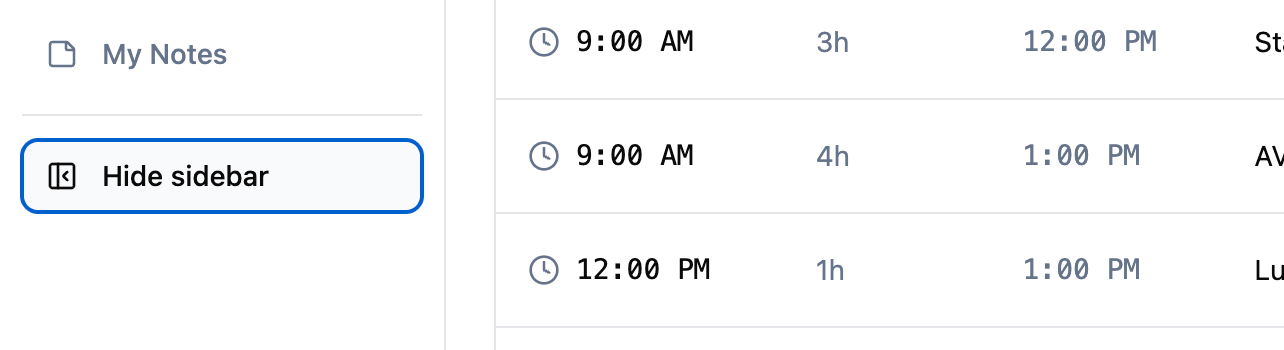
The project sidebar can now be collapsed on desktop to give you more screen real estate. Click the collapse icon at the bottom of the sidebar to hide it, and click the expand icon to bring it back. Your preference is preserved as you navigate between pages.
Locale-aware time display
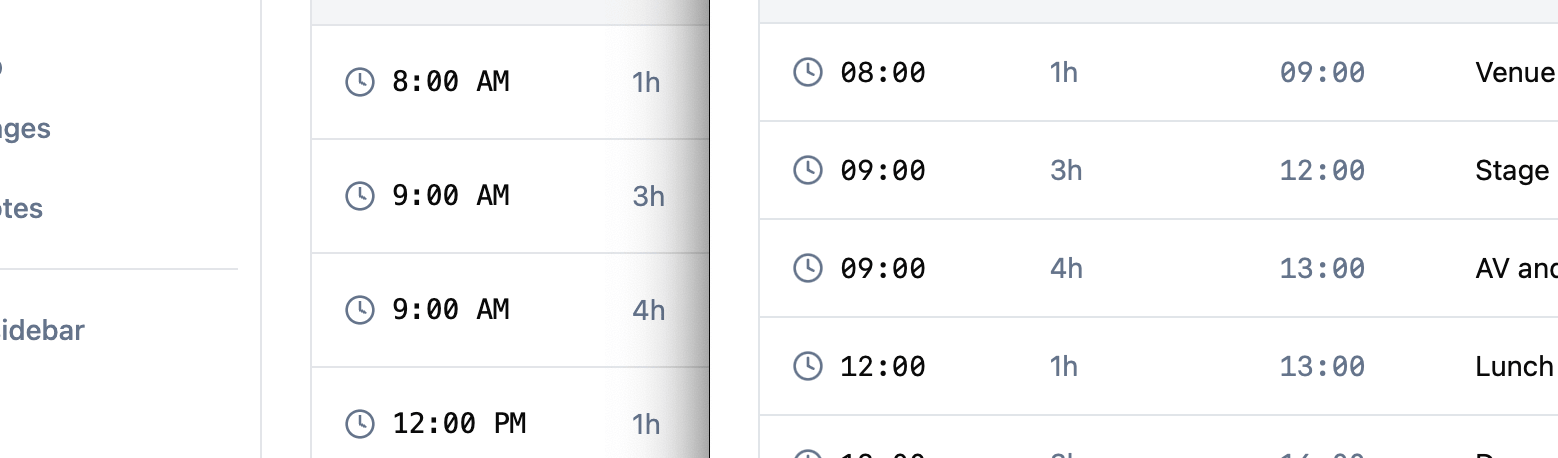
Schedule times and project date times now respect your browser’s clock format. If your system is set to 12-hour time, you will see times like “2:00 PM” throughout the app. If you use 24-hour time, you will see “14:00”. This applies to the schedule table, the live clock, and the date list on the project details page.
Overnight schedule support
Schedule items that run past midnight now display correctly. Instead of showing confusing times like “26:00”, the end time wraps around and shows a “(tomorrow)” label on a second line. A rehearsal that starts at 10:00 PM and runs for four hours now shows an end time of “2:00 AM (tomorrow)”.

Fixes and small improvements
- Fix CSV files incorrectly showing a “Preview” button instead of “Open” in Resources.
- Fix duration input on schedule items showing an AM/PM picker instead of HH:MM in some browsers.
- The schedule page clock now displays seconds and ticks every second.
- Timezone names are now formatted for readability (e.g. “America/Los Angeles” instead of “America/Los_Angeles”).
Stay in the loop
Get product updates when new features ship. No spam, unsubscribe anytime.