April 15, 2026
What's New in v1.2: Custom Schedule Types, PDF Export, and Resource Pages
Make the schedule your own with custom item types, export any day as a printable PDF, pin key resources as top-level pages, and sign in with Google.
By John Barker
Version 1.2 focuses on making the schedule more flexible, easier to share offline, and quicker to get into. Here is what is new.
Custom schedule types
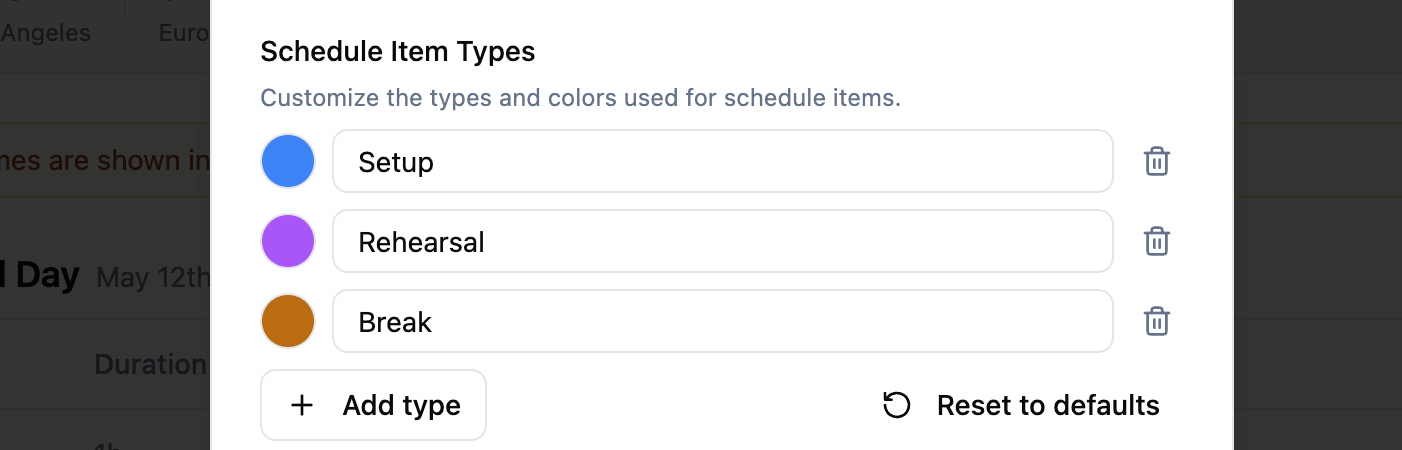
Every production runs a little differently. Until now, schedule items had to fit into one of the six built-in types (Setup, Rehearsal, Break, Show, Breakout, Other). In v1.2 you can define your own types with a label and a color, and they appear alongside the defaults on every schedule item.
Handy additions include Soundcheck, Load-in, Load-out, Catering, Travel, and Meet & Greet. Set them up once from the schedule settings and the whole team sees the same vocabulary on the day.
Export the schedule as a PDF
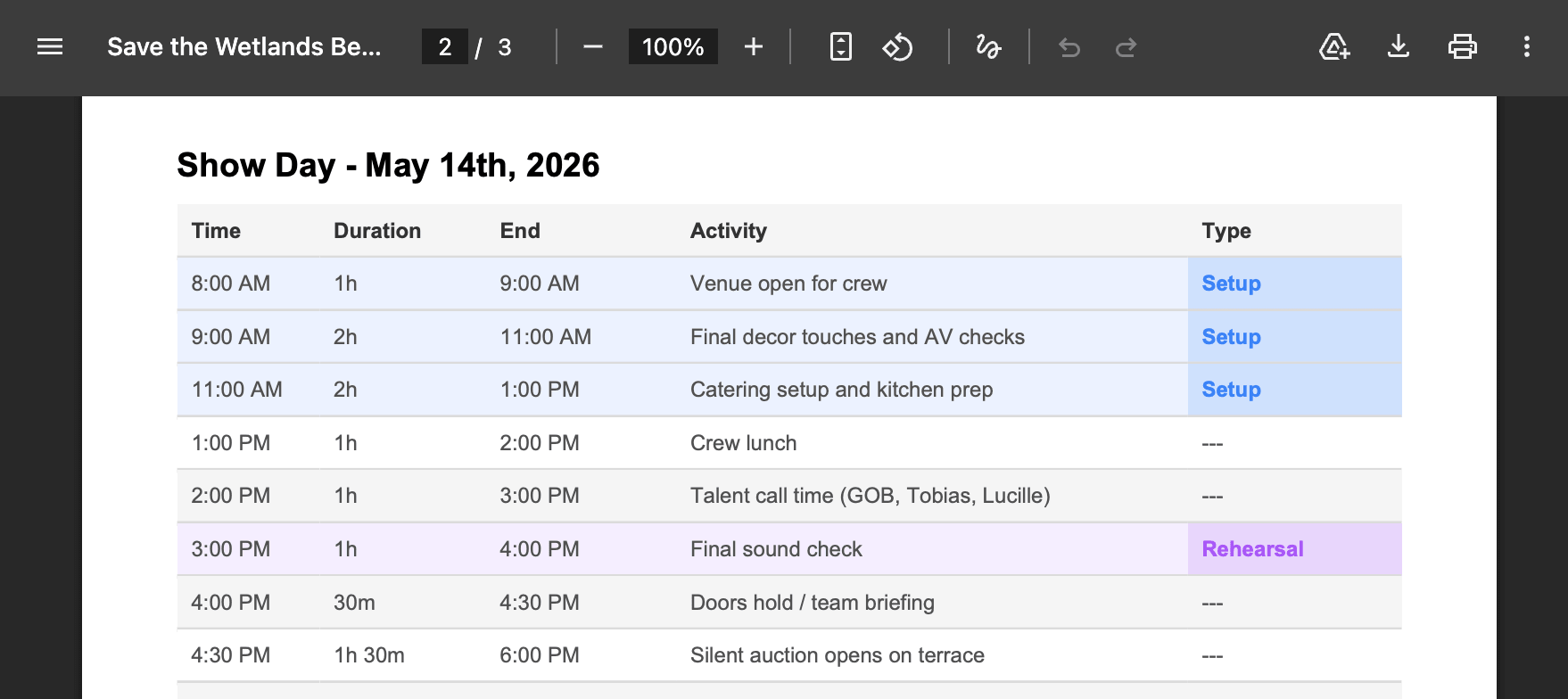
Not everyone on set has the app open. You can now export any project schedule as a printable PDF and hand it out, pin it to the production office wall, or email it to a crew member who just needs the day at a glance. The PDF preserves timed items, types, breakout tracks, so nothing important gets lost in the print.
Resource pages
Custom pages got a new type: Resource. Instead of just embedding external iframes or YouTube videos, you can now pin a specific file or link from your project’s Resources as its own top-level page in the sidebar. Great for the one document everyone keeps asking for: the run sheet, the venue map, the technical rider, the guest list.
Sign in with Google
Creating an account is now a single click. Sign in with Google is available on the sign-in and sign-up pages, and new Google sign-ups are walked through a short welcome flow to name the account and set up their organization.
Fixes and small improvements
- Added a forgot password / reset password flow so you can get back into your account by email.
- Removed duplicate entries that were occasionally appearing in the activity log.
- Removing a project banner image now actually clears the old image.
- Project banner images now display wider for a bit more visual impact.
- Tidied up page layouts and time displays across the app for better readability.
Stay in the loop
Get product updates when new features ship. No spam, unsubscribe anytime.