May 15, 2026
What's New in v1.5: Call Sheets, Resource Versioning, and Three More Languages
Send daily call sheets with a printable PDF, keep every version of every resource, spot schedule gaps and overlaps at a glance, and use the workspace in Swedish, German, or French.
By John Barker
Version 1.5 is the version where the schedule starts pushing data outwards. Build the day once and send a call sheet at the press of a button, keep every revision of every file, and let your team work in their own language. It also lands a small set of schedule quality-of-life features that were sitting at the top of the list for a while.
Call sheets
The schedule, the locations, and the team roster all live in ProductionPlanner.io already. Call sheets take the data you have entered for a given date and turn it into the single page your team needs at the start of the day.
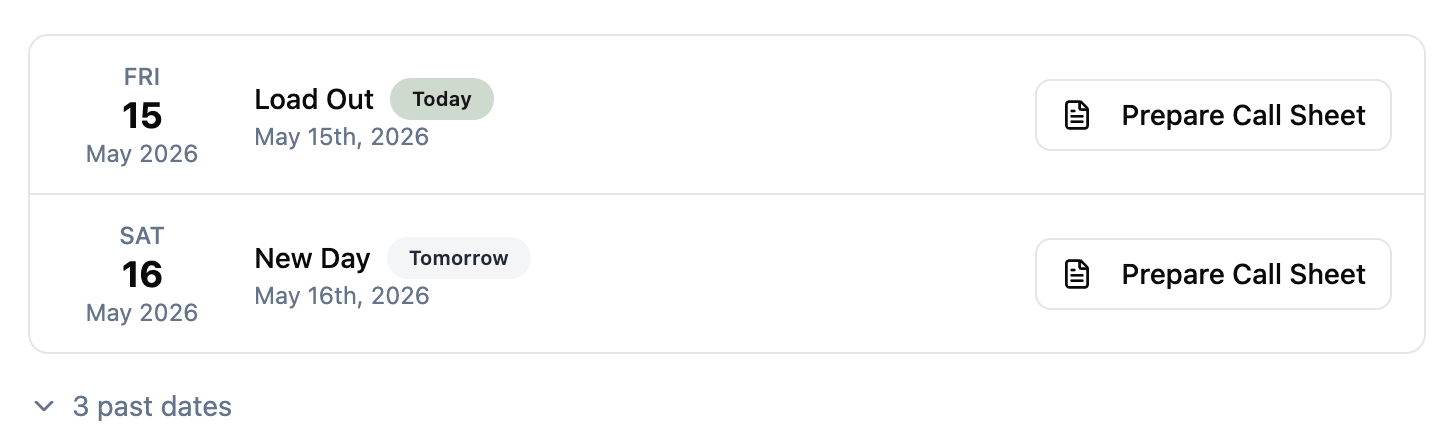
Send one from the new Call Sheets page in the admin section. Pick a date, set a crew call time (defaults to the start of the first scheduled item, override it with whatever you like), add any additional notes for the day — dress code, weather, parking, anything that’s not already in the schedule — and choose who gets it. Everyone on the project team is selected by default; deselect anyone you do not want to email, or send to just one person.
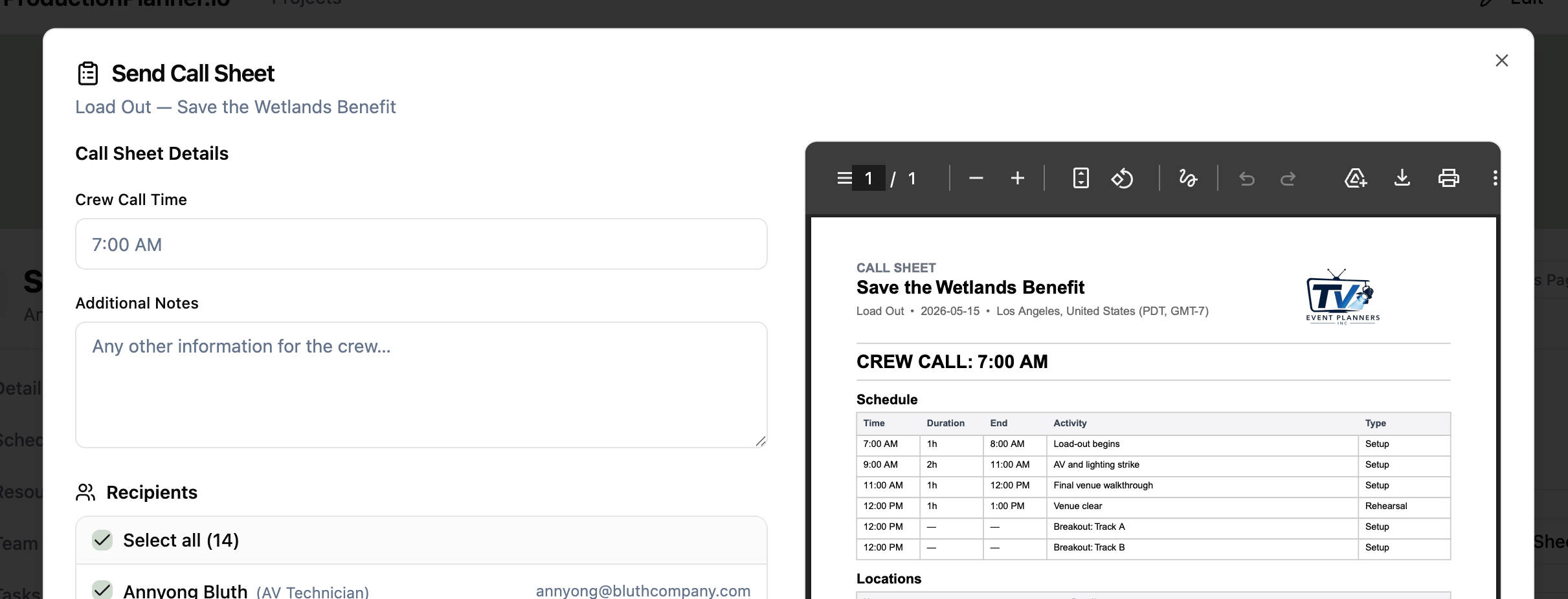
Each recipient gets a branded email with a clean A4 PDF attached. The PDF carries the day’s schedule, the project locations, and the full team roster, with crew call time large at the top and your notes above the schedule. Long schedules paginate cleanly so rows are never split across pages.
Anyone with write permission on the project can send a call sheet. Recipients don’t need a ProductionPlanner.io account — it arrives in their inbox like any other email.
Resource versioning
When the second cut of a script lands, or a vendor sends through a revised technical rider, the old way was to upload it as a new resource and hope everyone follows the new link. In v1.5 every resource keeps a full version history, so you can add a new version to the existing resource and the previous one stays accessible.
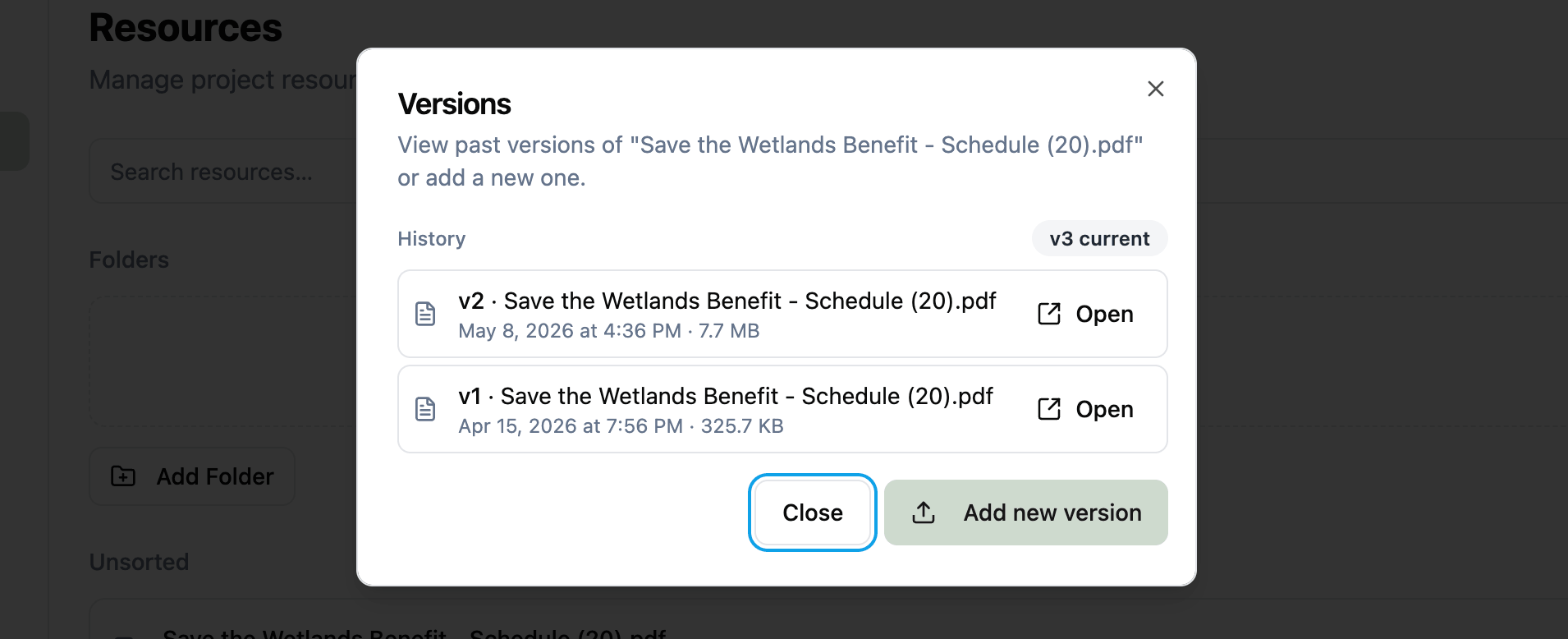
This means the link to the resource doesn’t change. Anyone with the link gets the latest version on their next download, and the Versions dialog lets you open any previous version when you need to. Every entry shows the upload date, so it’s easy to see how a document evolved over the project.
Works for both files and links. Add a new version to a link to update the URL while keeping the old one in history, or add a new version to a file to upload a new file while keeping the old one available alongside the new download.
Schedule gaps and overlaps
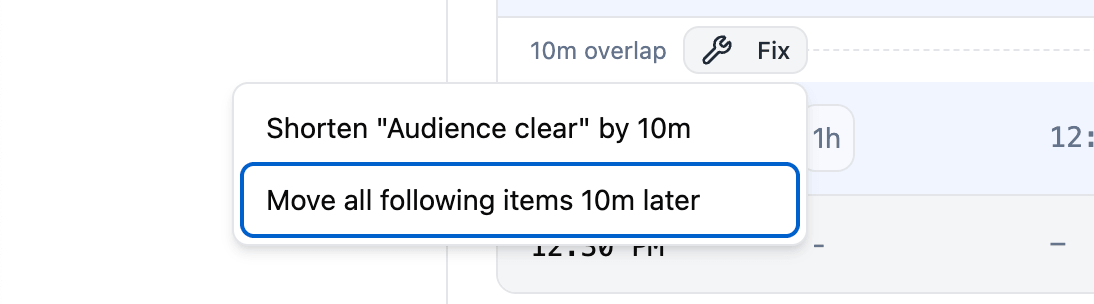
The schedule now flags time gaps and overlaps between consecutive items right in the table. Gaps show as a dashed line with a duration label (“1h gap”); overlaps show the same way (“10m overlap”). Where one item ends at the exact moment the next begins, nothing is shown.
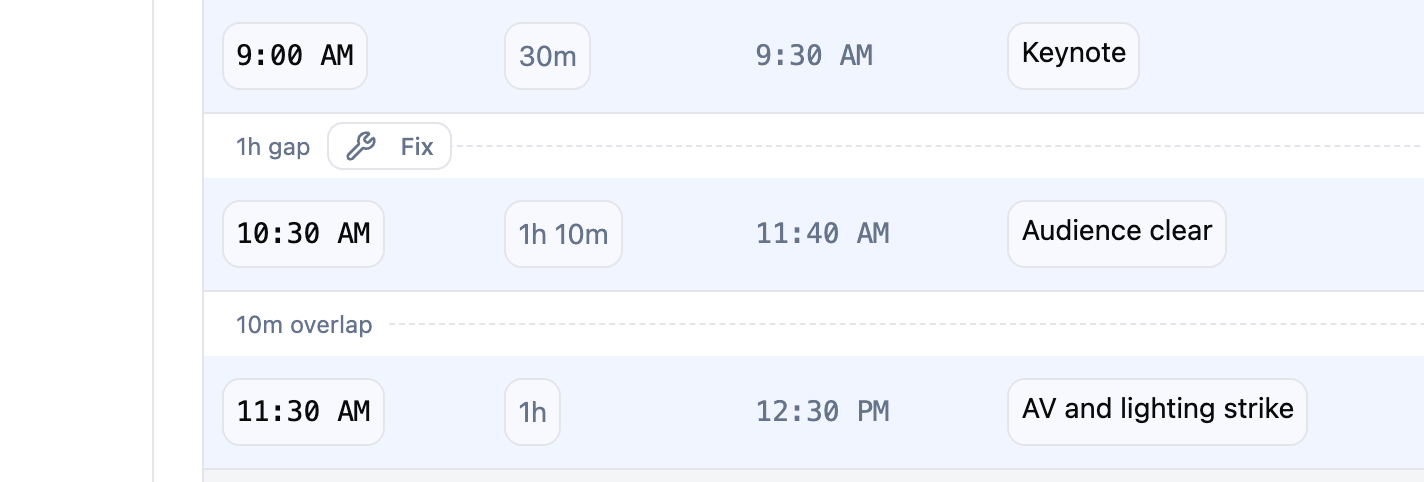
It is a small visual change with an outsized effect on day-of confidence. Holes in the schedule and accidental double-bookings stop being something you find by adding times in your head, and start being something the schedule tells you the moment you look at it. The indicators also extend to the bookend rows — the gap from “Pre Show” to the first item, and from the last item to “End of Day” — so the whole day reads as one continuous block.
Every indicator carries a Fix button that opens a one-click resolution menu with two options: adjust the previous item’s duration to meet the next start, or shift every following item by the gap or overlap amount (preserving the gaps between them). When load-in slips by half an hour, you no longer edit fifteen rows by hand — you click Fix and pick “Move all following items 30m later”.
Three more languages
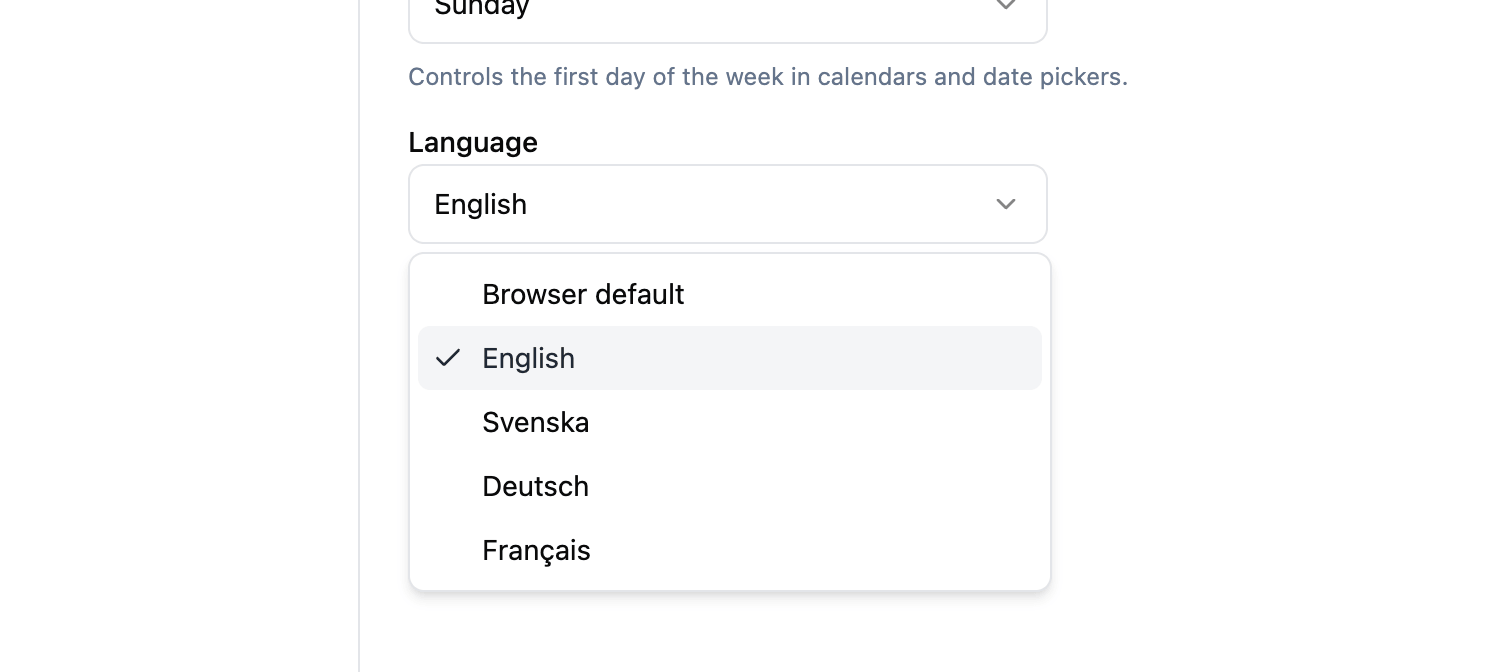
The project workspace is now available in Svenska, Deutsch, and Français in addition to English. Each user picks their preferred language in Account Settings, so different members of the same team can work in different languages without affecting each other. There’s also a “Browser default” option that follows whatever your browser is set to.
The choice covers the working surfaces — schedule, budget, tasks, resources, locations, messaging, pages, and call sheets. Call sheet PDFs are generated in the sender’s language with localized weekday and month names, so a French-speaking producer sends a French call sheet regardless of who the recipients are.
Account creation and sign-up remain in English for now.
Fixes
- Fix: Starting from a template no longer adds the admin twice to the new project.
- Fix: Page breaks on exported PDFs no longer split rows across pages.
Stay in the loop
Get product updates when new features ship. No spam, unsubscribe anytime.